

How to Sync Missing Garmin Activities to GoPolar
In this post, we'll walk through how to share your cold plunge or sauna activities to the GoPolar iOS app.
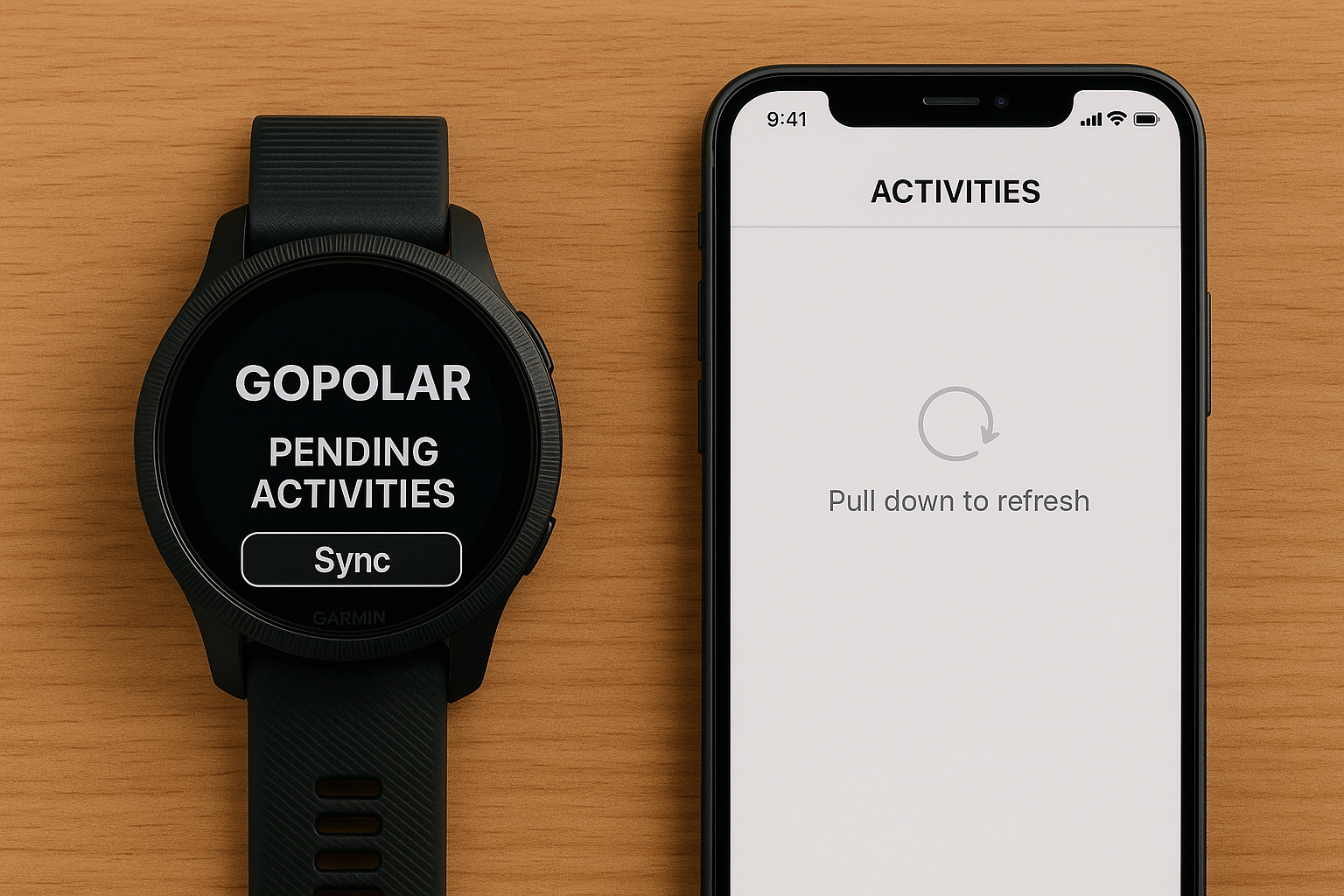
Why your Garmin activity isn’t showing in GoPolar (and how to fix it)
If you’ve tracked a cold plunge or sauna session on your Garmin watch using the GoPolar app, but don’t see it inside the GoPolar iOS app, you’re not alone.
Right now, our Garmin integration works a bit differently than most “automatic” syncs, and it requires both your watch and phone apps to be open at the same time.
This guide will walk you through how to sync any missing Garmin activities into GoPolar.
Step 1 — Make sure your Garmin account is connected to GoPolar
Before syncing any activities, double-check that your GoPolar iOS app is actually paired with your Garmin account.
You can verify this in the GoPolar iOS app:
- Open GoPolar on your iPhone
- Go to Profile → Integrations
- Look for Garmin Connect
- Make sure it shows Connected with a green indicator
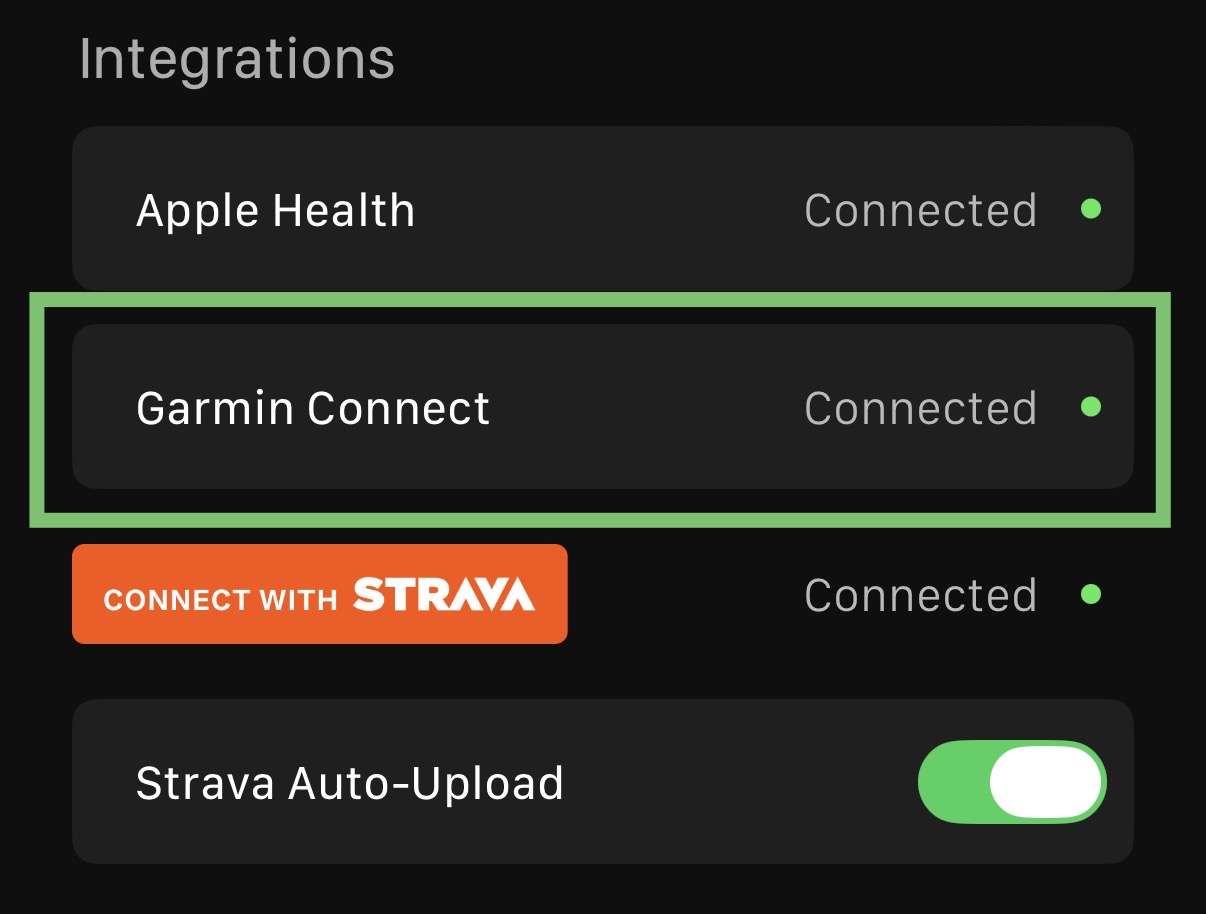
If Garmin Connect isn’t connected, tap the row and follow the prompts to sign in with your Garmin account.
If this connection isn’t active, GoPolar will not be able to sync any activities—even if they show up in Garmin Connect.
Step 2 — Check for “Pending Activities” on your Garmin watch
- On your Garmin watch, open the GoPolar app.
- Scroll to the bottom of the screen.
- Look for a section showing Pending Activities.
If you see pending activities there, it means your watch has recorded them, but they haven’t yet been sent to the GoPolar iOS app.
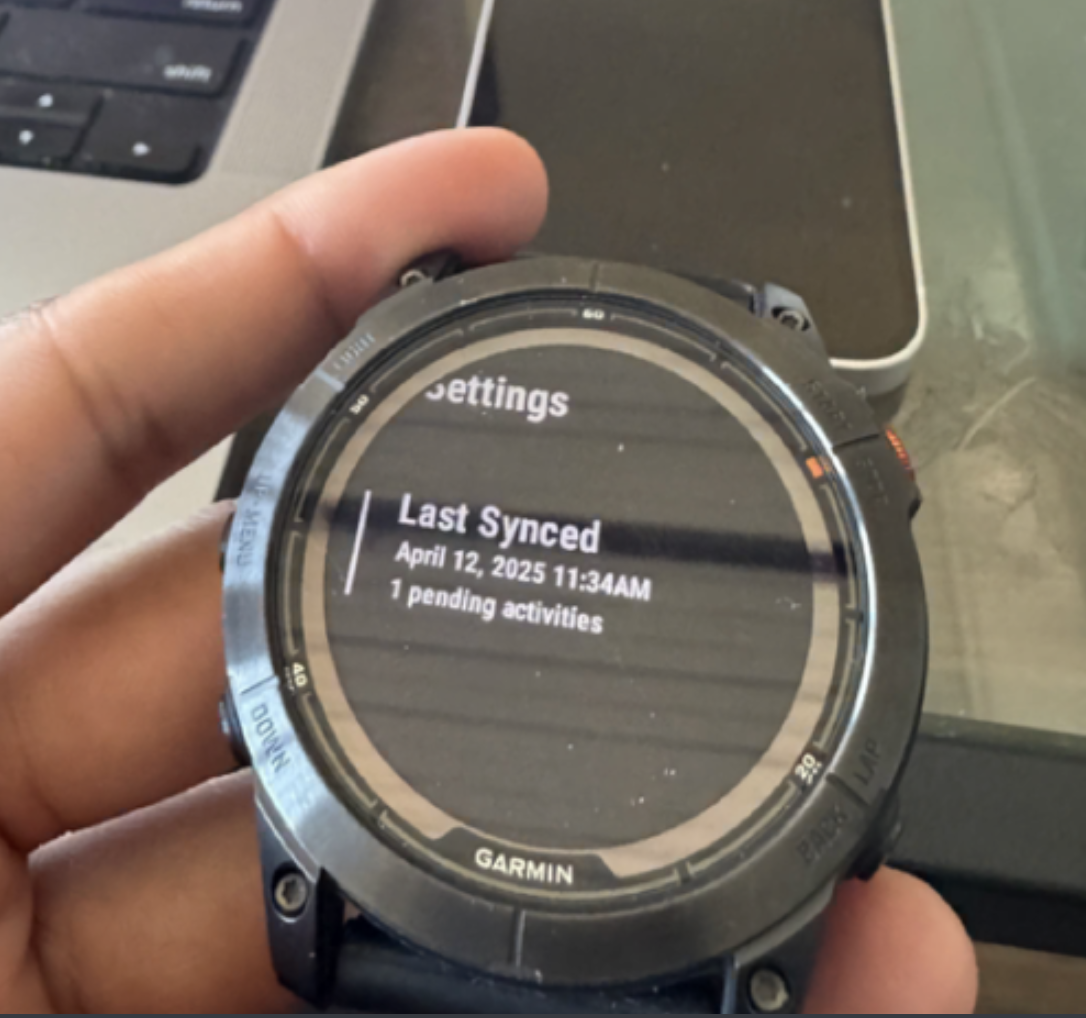
✅ Good news: If it’s pending, we can sync it.
If you don’t see any pending activities, skip down to “If you don’t see pending activities” below.
Step 3 — Sync pending Garmin activities to GoPolar (iOS)
Once you see pending activities on your watch, do this:
- Keep the GoPolar app open on your Garmin watch (Stay on the screen where you see the pending activities. Don’t exit the app.)
- On your iPhone, open the GoPolar iOS app.
- Tap the Activities tab.
- Pull down to refresh the list of activities.
- Wait a few seconds and see if your missing activity appears.
If it still doesn’t show:
- Force quit the GoPolar iOS app.
- Re-open the GoPolar app on your iPhone.
- Make sure the GoPolar watch app is still open, then refresh the Activities tab again.
Why this feels clunky (and what’s happening under the hood)
Right now, our Garmin sync works like this:
- Your Garmin watch records the cold plunge / sauna in the GoPolar Garmin app.
- Garmin also sends an activity to Garmin Connect (usually as “Other”).
- For GoPolar to receive full activity data from the watch, both apps need to be open at the same time so your iPhone and watch can sync directly.
We know this isn’t ideal and we’re actively working on a more seamless solution that doesn’t require you to manually open both apps.
Watch a 30-second walkthrough (optional)
If you prefer seeing it done visually, here’s a quick video walkthrough:
👉 Watch the Garmin → GoPolar sync video
This shows exactly how to:
- Check for pending activities on your Garmin watch
- Open the GoPolar iOS app
- Refresh and pull in the missing activity
If you don’t see any pending activities
If there are no pending activities at the bottom of the GoPolar Garmin app:
- It usually means the activity was not recorded through the GoPolar Garmin app, or
- The activity has already been synced previously.
You can double-check that you:
- Started the activity from the GoPolar app on your Garmin watch (not just a default “Other” activity).
- Ended/saved the session properly on the watch.
Going forward, make sure to:
- Start your cold plunge / sauna from the GoPolar Garmin app, and
- After your session, open both:
- GoPolar Garmin app (watch)
- GoPolar iOS app → Activities tab
Still stuck? We’re happy to help.
If you’ve tried these steps and your activity still isn’t showing, email us a hello@gopolar.app.
Level Up Your Cold Plunge and Sauna Sessions Today With GoPolar's Free Cold Plunge App
GoPolar is the go-to app for cold plunge and sauna enthusiasts. With GoPolar’s cold plunge app, you can track your cold plunge or cold shower and your sauna sessions with your Apple watch and Garmin watch. After your plunge or sauna session, you can:
- Review your heart rate during a session
- See trends in the app with Apple Health data
- Track your scores in our leaderboard/community
- Find the best spots to cold plunge in your area
Download our cold plunge app (iOS only + Apple Watch & Garmin) for free today to level up your cold plunge and sauna sessions with our tracking features and the GoPolar community leaderboard.
